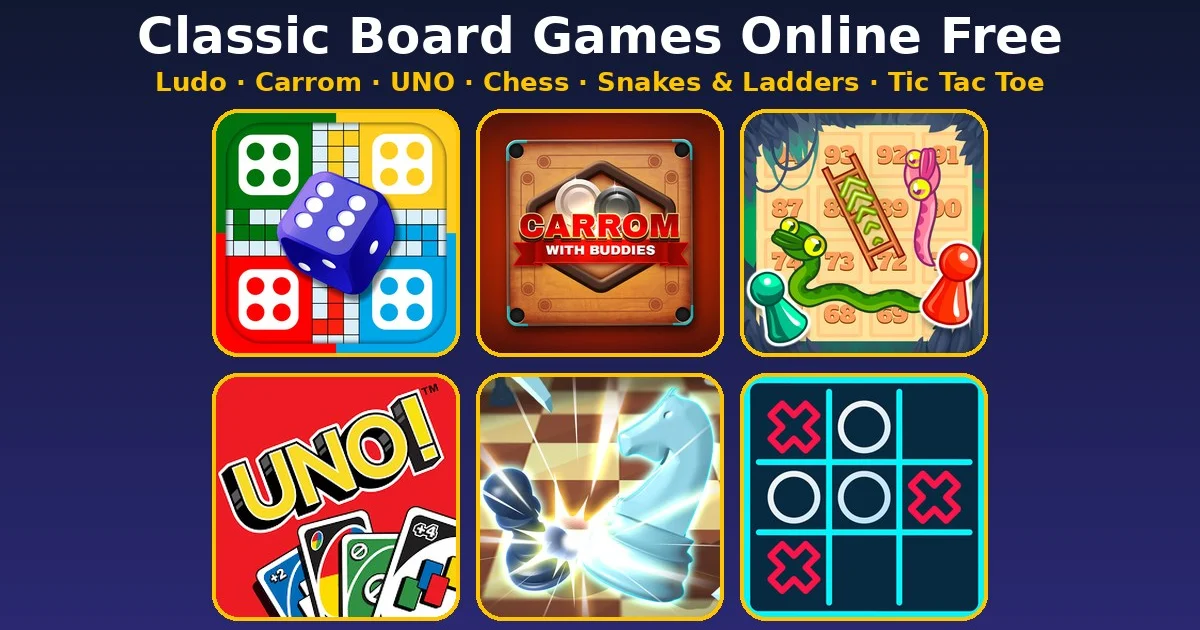
Want a game of Ludo or Carrom but nobody has the board, the dice or the coins? You don’t need them. These classic board games online free on Gipcus open straight in your browser, on a phone or a laptop, with no download and no account. Pick one, play a round in a few minutes, and close the tab.
Below are six tabletop classics you can play right now, what each one is good for, and a few tips that win close games. If you want a quick pick: Ludo Life for family drama, Carrom for skill, and UNO for fast card rounds.
Classic board games online free: quick picks
- Ludo Life: roll, race your tokens home, and knock rivals back to the start.
- Carrom: a 2-player game; aim and shoot your striker to pot your pieces.
- Snakes and Ladder: pure dice luck, perfect for kids and quick laughs.
- UNO: match colour or number, play action cards, empty your hand first.
- Chess Grandmaster: three difficulty modes plus over 1,100 move-limited challenges.
- Tic Tac Toe: the 3×3 classic, done in under a minute.
Controls and modes at a glance
| Game | Controls | Who you play | Guide |
|---|---|---|---|
| Ludo Life | Mouse or touch: roll the die, pick a token | Computer, or friends passing one device | Ludo tips |
| Carrom | Mouse or touch: aim and shoot the striker | 2 players | Carrom guide |
| Snakes and Ladder | Roll the dice | Check the start screen | – |
| UNO | Pick a card to match colour or number | Check the start screen | UNO tips |
| Chess Grandmaster | Move pieces on the board | Computer (3 difficulty modes) and 1,100+ challenges | Chess tips |
| Tic Tac Toe | Click or tap a square | 2 players, X vs O | – |
1. Ludo Life: the family favourite
Ludo Life is the Ludo you grew up with (the game loaded is Ludo Legend by Inlogic Software). Play alone against the computer, or with friends on one device by passing it on.
First game, step by step
- Choose to play alone or with friends sharing one device.
- Roll the die on your turn. You need a 6 to release a token from your start area.
- After each roll, choose which of your tokens to move.
- Land on an opponent’s token to send it back to their start. They can do the same to you.
- Get all your tokens into your safehouse first to win.
How to win more often: don’t rush one token all the way round. Use each 6 to release another token when you can, so a bad number rarely wastes your turn. Avoid parking just ahead of an opponent’s token, and take captures when they’re available. More in our Ludo strategy tips.
2. Carrom: the skill game
Carrom with Buddies (by Instant Games Studio) brings the finger-flick board game to a screen as a 2-player match. Place your striker, aim with the mouse (or touch on mobile), set power and shoot. Turns alternate, and the first player to pot all of their pieces wins.
How to win more often: soft shots beat hard ones. A gentle hit keeps the striker from flying into a pocket and keeps the coins near the holes for your next turn. Learn one reliable bank shot off the side cushion and you’ll clear coins that look blocked. Full rules and 7 tips: how to play Carrom online.
3. Snakes and Ladder: pure luck, big laughs
Snakes and Ladder is the easiest game here to explain to anyone. Roll, climb ladders, slide down snakes, and reach the last square first. There’s no strategy to learn, which is exactly why it works for young kids and for a quick round when you just want to switch off.
Tip: nothing you do changes the dice, so enjoy the swings. A late snake near the top is half the fun.
4. UNO: fast card rounds
UNO isn’t a board game, but it lives in the same family-night drawer. Match the colour or number on the pile, use action cards when they help, and be the first to empty your hand. Remember to call UNO before your last card when the rules ask for it.
How to win more often: hold your action cards (Skip, Reverse, Draw Two and wilds) until someone is close to going out. Dumping them early feels good but leaves you with nothing when it matters. See all 7 strategies in our UNO tips.
5. Chess Grandmaster: from beginner to expert
Chess Grandmaster (by Gamezop) lets you pick from three difficulty modes, so a beginner can learn against an easy opponent and a stronger player can turn it up. It also has over 1,100 challenges where you solve a position within a set number of moves, which is the fastest way to get better at spotting tactics.
Tip: if you only have five minutes, skip a full game and do two or three challenges instead. They’re short, and each one has a clear end. New to the game? Start with our chess tips for beginners.
6. Tic Tac Toe: the one-minute classic
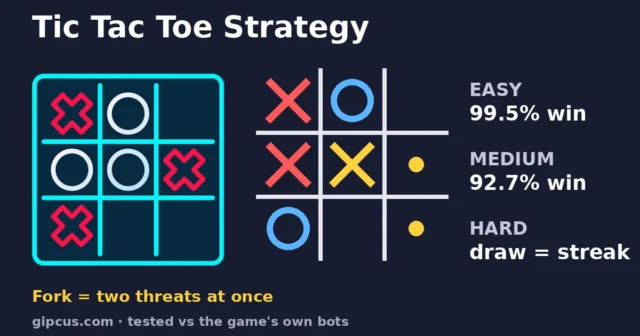
Tic Tac Toe is the paper-and-pencil game on a 3×3 grid. Take turns placing X or O, and get three in a row to win.
Tip: going first, start in a corner. It gives your opponent the most ways to slip up, and if they don’t take the centre you can usually set up two winning lines at once.
Can you play these with a friend?
Yes, for most of them. Carrom with Buddies is a 2-player game, Ludo Life lets friends share one device by passing it on, and Tic Tac Toe is X versus O. Chess Grandmaster is built around the computer and its challenges. For Snakes and Ladder and UNO, check the start screen for the options on offer. If you specifically want two people on one keyboard, our guide to 2 player games on the same keyboard covers the WASD-vs-arrows setup and the best pick for it.
Why play board games in a browser?
- No missing pieces. The dice, coins and cards are always there.
- No install. Everything runs in the browser on phone or desktop, so it works on school or work computers where you can’t add apps.
- Short sessions. A round of Tic Tac Toe or Snakes and Ladder fits in a coffee break. For more games like that, see our 5-minute browser games for a lunch break.
- Quiet if you need it. Board and card games play just as well with the sound off. Our list of quiet browser games for a work break has more.
FAQ
Are these board games really free?
Yes. Every game linked here is free to play on Gipcus, with no download and no sign-up.
Do they work on mobile?
Yes. Ludo Life, Carrom, Snakes and Ladder and UNO all play on phone or desktop in the browser.
Which is best for kids?
Snakes and Ladder, because it’s all dice luck and there are no rules to learn. Tic Tac Toe is a close second.
Which takes the most skill?
Chess, then Carrom. Both reward practice, and Chess Grandmaster’s challenges are a quick way to improve.
Can I play Ludo against the computer?
Yes. Ludo Life lets you play alone against the computer, or with friends on one device.
Is there a pool game too?
Yes. 3D Pool Ball plays free in the browser; see our best 3D pool games list.
Want something faster than a full board round? Try Flappy Duck for one-tap runs, or drop into Tribals.io when you have a longer session.
Ready to roll? Start with Ludo Life or Carrom and play free on Gipcus now.