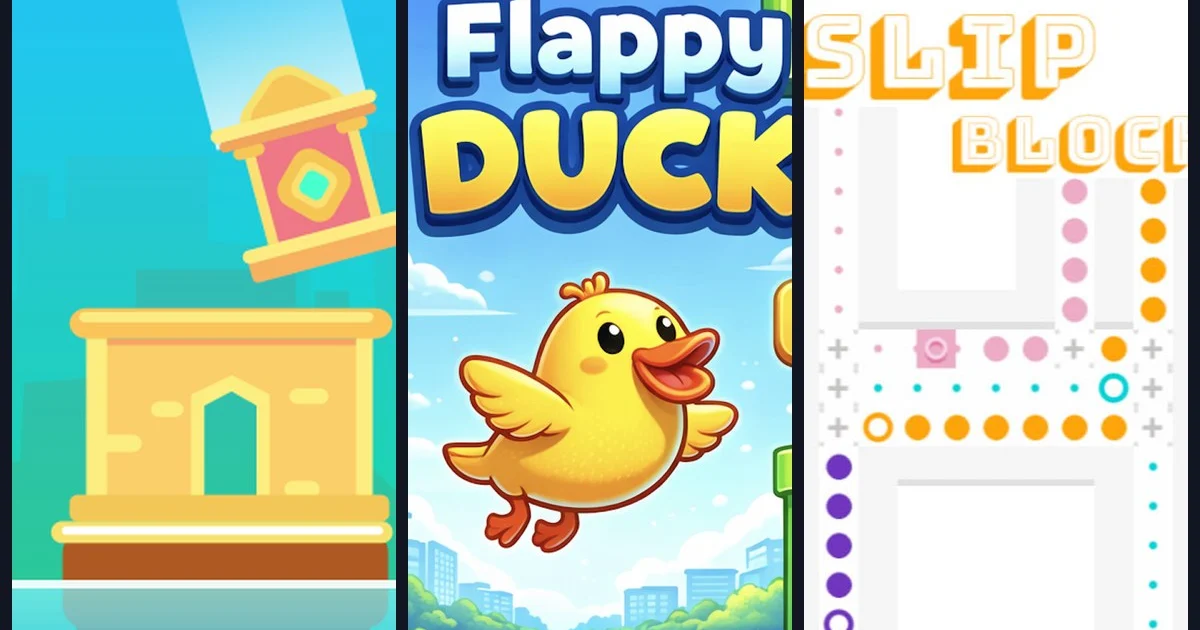
Quick answer: The best 5-minute browser games for a lunch break are Flappy Duck and Stack Tower for runs that end in a minute or two, SLIP BLOCKS and Light Rays for one calm puzzle level, and Math Game or Brain Test for a quick brain warm-up. All six are free on Gipcus, need no download and work on phone or desktop.
By Ashish Sharma · Updated October 29, 2026 · How we tested: we checked each game’s controls and how a round or level ends against its Gipcus game page.
Lunch is half over, your next call starts soon, and you want a game you can actually finish before it does. Most browser games are built to keep you playing for an hour. These 5-minute browser games are the opposite: each run, level or round ends fast, so you can stop cleanly and get back to work.
All six picks below are free on Gipcus, run in a browser tab, and need no download or account. That matters on a work laptop where you can’t install anything.
What makes a game fit a 5-minute break?
- A clear end point. A run that ends when you miss, or a level that ends when you solve it. No open world pulling you back in.
- Instant restart. One click and you’re playing again, with no menus or loading screens in between.
- Simple controls. One tap, a click or a drag. Nothing to learn before the fun starts.
- Nothing to grind. No daily quests or timers that punish you for leaving.
If you also need the game to stay silent in an open office, read our guide to quiet browser games for a work break. This list is about speed: games you can start and finish in one short sitting.
Which free 5-minute browser games can you play on Gipcus?
1. Flappy Duck: one-tap runs that end fast
Flappy Duck is about as short-session as games get. Tap or click to flap upward, let gravity pull you down, and weave the duck through the gaps. Clip a pipe and the run is over, and you’re back in a second later.
Break tip: give yourself a set number of tries, such as five runs, and keep your best score. It stops “one more go” from eating the whole lunch hour.
2. Stack Tower: build until it gets too thin
Stack Tower asks you to drop each block so it lands flush on the one below. Any overhang gets trimmed off, so every sloppy drop makes the platform smaller until there’s nothing left to stack on.
Break tip: watch the block’s swing for a moment before your first drop. Steady, early drops keep the platform wide and the tower going longer.
3. SLIP BLOCKS: one puzzle, one solve
SLIP BLOCKS is a sliding-block puzzle. Move pieces along open paths until they reach the goal layout. Each move changes the space you have left, so a careless slide can box you in.
Break tip: treat one level as one break. Solving it gives you a natural place to stop, which is exactly what a short break needs.
4. Math Game: a quick brain warm-up
Math Game throws addition, subtraction, multiplication and division at you and gives you points for each correct answer while tracking your accuracy. On a PC you pick answers with the mouse; on a phone you tap. It feels more like a game than a worksheet, and it sharpens you up before an afternoon of numbers.
Break tip: go for accuracy before speed. Keeping accuracy close to 100% beats rushing and missing.
5. Brain Test: short riddles with a twist
Brain Test is a free tricky-puzzle game: each level is a short brain teaser that rewards common sense and thinking outside the box, not textbook math. On desktop, use the mouse to tap, drag, and interact; on mobile, tap and drag in the browser.
How to clear stages faster:
- Read the question wording carefully—the trick is often in the text.
- Interact with the scene: tap, drag, or move objects instead of only typing an obvious answer.
- Look at every detail on screen, including labels and UI chrome.
- If you are stuck, use the in-level clue, then move on so the break stays short.
Stuck on a level? Our Brain Test answers for all 40 levels gives the solution for each puzzle, so a tricky one does not eat your whole break.
Break tip: one stage = one break unit. If a riddle stumps you, leave it and come back later—a fresh look often solves it in seconds.
6. Light Rays: a calm logic level
Light Rays has you rotate and place pieces so beams of light reach their targets. It’s slow and calm rather than twitchy, so it’s a good pick when you want to switch off rather than chase a score.
Break tip: the order of your moves often matters as much as the final angles. If a beam won’t line up, reset and try a different first move.
How do you play each game, and how long is a round?
All six games run in desktop and mobile browsers. Controls below come from each game’s page on Gipcus.
| Game | How you play | One round is | Good stop rule |
|---|---|---|---|
| Flappy Duck | Tap or click to flap (same on phone and desktop) | One run, ends on the first hit | Five runs |
| Stack Tower | Time each drop so the block lands flush | One tower, ends when the platform runs out | Three towers |
| SLIP BLOCKS | Slide blocks along open paths to the goal layout | One level | One or two levels |
| Math Game | Mouse (PC) or tap (phone) to pick each answer | One set of sums | One set |
| Brain Test | Tap, drag and move objects with mouse or finger | One riddle | Two or three levels (answers) |
| Light Rays | Place or rotate optics so each ray reaches its goal | One level | One level |
Which game should you pick for your break?
- 2 minutes before a call: Flappy Duck or Stack Tower, since a single run is enough.
- 5 minutes with a coffee: one level of SLIP BLOCKS or Light Rays.
- Want to feel sharper after: Math Game or Brain Test.
- Prefer numbers and merging: 2048 (2048 tips) or our merge games explainer.
- Want match-3 candy: Candy Fiesta, with short move-limited levels (Candy Fiesta tips).
- Want a logic grid: try nonograms with our beginner nonogram guide.
- Want merge-and-shoot: Stick Merge, where one mission fits a longer break (Stick Merge guide).
How do you keep a 5-minute break at 5 minutes?
- Set a phone timer before you open the game tab, and close the tab when it rings.
- Pick a stop rule such as five runs, one level or one stage, and stick to it.
- Mute the tab (right-click the tab in Chrome and choose Mute site) so a surprise sound doesn’t turn heads.
- Skip endless games on short breaks. Save .io and idle games for after work.
FAQ: 5-minute browser games
Are these games free?
Yes. Every game here is free to play on Gipcus in your browser, with no account needed.
Do I need to download anything?
No. They all run in a browser tab, which is why they work on locked-down work laptops.
Can I play them on my phone?
Yes. All six are listed for desktop and mobile on Gipcus and run in a phone browser, so they suit a break away from your desk too.
What’s the fastest game on this list?
Flappy Duck. A single miss ends the run, so one attempt is often over in well under a minute.
What is Brain Test on Gipcus?
A free browser puzzle of trick questions and interactive scenes. Controls are mouse (desktop) or tap/drag (mobile); clues are available when a stage stalls, and our Brain Test answers page solves every level.
Which game is best for a 2-minute break?
Flappy Duck or Stack Tower. A single run of either ends quickly, so you can play one or two and still be on time.
Are there longer games for a full lunch hour?
Yes. If you have 30 minutes or more, try Tribals.io (guide) or MineCraft IO (guide). Both are better saved for longer breaks. More in our best .io games list.
Are these quieter than .io games?
Most of these picks are short single-player stages. For silent office play, also see our quiet browser games guide.