Two people, one laptop, no second controller. That’s the whole appeal of a 2 player game on the same keyboard: one person takes the left side, the other takes the right, and you settle it in a minute-long match. No accounts, no lobby, no install.
The catch is that most “2 player games” lists mix online multiplayer with true local play, so you open a game and find out it needs a second device. This guide sticks to what actually works on one computer, explains the WASD-vs-arrows setup, and gives you the full control map for the best shared-keyboard game on Gipcus right now.
How same-keyboard 2 player games split the controls
Almost every local two-player browser game uses the same layout:
- Player 1 (left side): W, A, S, D to move, plus a couple of nearby letter keys for actions.
- Player 2 (right side): the arrow keys to move, plus letter keys near the right hand (often L and K) for actions.
That split keeps both pairs of hands apart, so nobody’s elbow is in the other player’s lap. Before the first match, open the game’s controls or help screen and read both columns. The keys are usually printed there, and a ten-second check saves a round of “wait, which one jumps?”
Basketball Stars: the best 2 player game on one keyboard
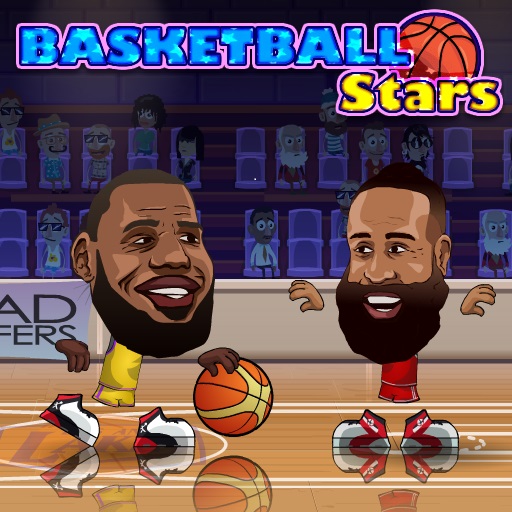
Basketball Stars by Mad Puffers is built for exactly this. Matches are short, the court is small, and the 2 Players option on desktop lets you go 1v1, play 2v2 with a computer teammate on each side, or team up together in co-op against two CPU players.
Basketball Stars 2 player controls
| Action | Player 1 | Player 2 |
|---|---|---|
| Move | A / D | Left / Right arrow |
| Jump | W | Up arrow |
| Shoot / Steal | B | L |
| Pump fake / Block | S | Down arrow |
| Super shot | V | K |
| Dash | Double-tap A or D | Double-tap Left or Right |
Playing alone? Single-player uses WASD or the arrows to move, X or L to shoot or steal, and Z or K for the super shot. If your build shows different keys on its controls screen, trust the screen.
Your first 2 player match, step by step
- Open Basketball Stars on a laptop or desktop and click inside the game once so it gets the keyboard.
- Choose the 2 Players option, then pick 1v1 or 2v2.
- Each player picks a team.
- Player 1 takes the left side of the keyboard (WASD), Player 2 takes the arrows.
- Play the first match just to learn the keys, then play best of three.
- When the supershot bar at the top is full, use the special dunk. It can be used from anywhere and never misses.
Tips that win shared-keyboard matches
- Pump fake before you shoot. The same button that fakes on offense blocks on defense, so a defender who jumps at every fake gives you a free look.
- Use the dash to escape, not to attack. A quick double-tap away from a defender creates the space you need for a clean jumper.
- Save the super shot for close games. It can swing a tight match, so don’t burn it in the first ten seconds.
- Play 2v2 co-op first if one player is new. Learning the keys against the CPU together is friendlier than a lopsided 1v1.
Play Basketball Stars free on Gipcus
Laptop and Chromebook setup tips
- Use a desktop or laptop browser. Basketball Stars hides its 2 Players option on phones and tablets, so shared play is a keyboard feature.
- Sit side by side, keyboard centred. Tilt the laptop slightly so both players see the court without leaning across each other.
- Watch for stuck keys. Many budget and laptop keyboards can’t register every combination of keys pressed at once. If a jump or shot randomly fails when both of you mash buttons, that’s the keyboard, not the game. An external USB keyboard often fixes it.
- Go full screen. A bigger court makes it easier for both players to track the ball, and it stops stray clicks from landing outside the game.
- Click inside the game once before you start, so the keyboard input goes to the game and not the page.
Take-turns games for one screen
Not every two-player session needs both people pressing keys at the same time. Turn-based classics work on one computer just by passing the mouse:
- Snakes and Ladder is a 2 player roll-and-move board game. Take turns rolling, climb the ladders, and groan at the late snake.
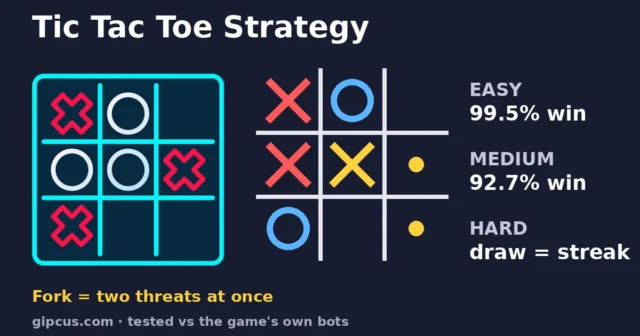
- Tic Tac Toe is the fastest tiebreaker there is. Check the start menu for the mode options, and play best of five while the next Basketball Stars match loads.
Which two-player game fits your session?
| Game | How you play together | Controls | Guide |
|---|---|---|---|
| Basketball Stars | Both at once on one keyboard | WASD vs arrows | This page |
| Tic Tac Toe | Take turns on a 3×3 grid | Click a square | Classic board games |
| Snakes and Ladder | Take turns rolling the dice | Click to roll | Classic board games |
| Golden Goal with Buddies | Online penalty duel, each on your own device | Swipe up to shoot | Golden Goal tips |
Quick FAQ
Can two people play on one keyboard in a browser?
Yes, if the game has a local two-player mode. Basketball Stars on Gipcus does: Player 1 uses WASD with B and V, Player 2 uses the arrows with L and K.
Do I need to download anything?
No. Everything above runs in the browser on Gipcus, with no install and no account.
Are there 2 player football games on one keyboard?
Not on Gipcus right now. Golden Goal with Buddies lets you play penalties against a friend, but online, each on your own device. For solo football picks, see our best free football games online.
Can we play on a phone instead?
Basketball Stars works on phones, but its 2 Players option is a keyboard feature. On one phone, take turns with Tic Tac Toe or Snakes and Ladder instead.
Why does one player’s key stop working mid-match?
That’s usually key ghosting: the keyboard can’t read that many keys at once. Try an external keyboard, or have each player avoid holding a direction key the whole time.
Want more sports to play? Browse our best free football games online list or the classic board games online guide, then come back for a rematch in Basketball Stars.
Playing alone on a break? Try our quiet browser games for a work break.