You have five minutes between meetings, the office is quiet, and the last thing you want is a game blasting music from your laptop speakers. The fix is simple: pick quiet browser games that play just as well on mute, so you can take a real break without anyone hearing it.
This guide covers how to silence any game tab in seconds, what makes a game work-break friendly, and six free picks on Gipcus that need no sound, no download, and no account.
What makes a game good for a quiet work break
- Sound is optional. Nothing in the game depends on hearing a cue. If you mute it, you lose nothing.
- The board waits for you. Turn-based puzzles only move when you move, so a colleague stopping by your desk doesn’t cost you the round.
- Short sessions. One board, one deal, or one timed round fits inside a coffee break.
- Calm visuals. Cards, tiles, and grids instead of explosions and flashing lights.
- Runs in a tab. No install, which matters on a locked-down work laptop.
How to mute a game tab before you start
Do this once and you never have to scramble for the volume key:
- Chrome: right-click the game’s tab and choose Mute site. It stays muted on that site until you unmute it.
- Edge: right-click the tab and choose Mute tab.
- Firefox: right-click the tab and choose Mute Tab, or press Ctrl+M while the tab is open.
Many games also show their own speaker or music icon on the start screen. Turning that off as well is a good backup if you forget the tab mute.
6 quiet browser games to play on a work break
1. Classic Minesweeper
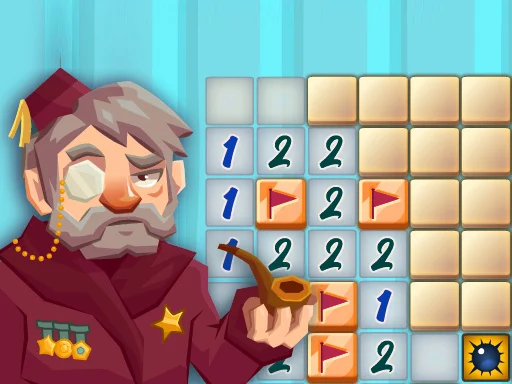
Classic Minesweeper is the ideal silent break game. Every clue is a number on screen, so audio adds nothing. Click a square to reveal it, right-click to flag a mine, and use the numbers to work out which neighbors are safe. It recreates the Windows XP-era board with Beginner, Intermediate and Expert levels, and it is built for a mouse, which suits a work laptop. The mines never move, so you can stop mid-board, answer a message, and pick up exactly where you left off.
Break tip: start near the center to open a big empty area fast, then clear the edges with the numbers.
2. 2048
2048 is a 4×4 grid of number tiles. Slide them with the arrow keys and matching tiles merge into one, 2 and 2 into 4, 4 and 4 into 8, all the way toward 2048. A new tile appears only after each move, so nothing happens while you’re away from the keyboard.
Break tip: keep your biggest tile pinned in one corner and build toward it. It keeps the board tidy and the run alive longer. Our 2048 strategy guide explains the corner method step by step.
3. Spider Solitaire
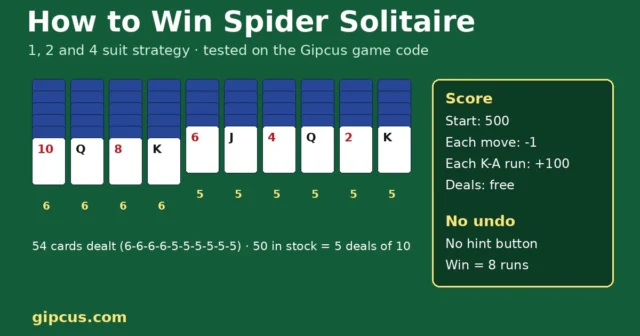
Spider Solitaire looks like the most work-appropriate thing on any screen. Drag cards to build descending runs from King to Ace in the same suit, and each finished run clears from the table. Pick 1 suit, 2 suit or 4 suit mode depending on how long your break is: 1 suit finishes quickly, 4 suit is good for a longer lunch.
Break tip: try to empty a column early. An empty column is the most useful space in the game.
4. Water Color Sort
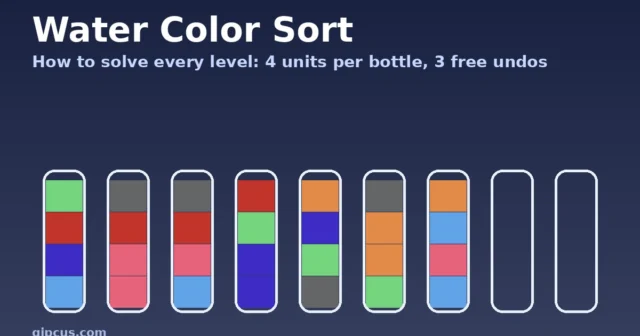
Water Color Sort asks you to pour colored water between tubes until each tube holds a single color. Tap or drag a tube onto another to pour, and remember you can’t pour onto a different color. It ships with a relaxing soundtrack, but the puzzle is entirely visual, so it plays just as well muted. Early levels take a minute or two; later ones add more tubes and colors.
Break tip: look for the tube with the fewest colors and empty that one first to free up a spare tube.
5. Waffle Game
Waffle Game is a word puzzle on a letter grid from Code This Lab. Move the mouse (or slide a finger) across neighboring letters to spell a word, then release to submit it. Lines can run across, down or in an L shape, but not diagonally, and your score adds up the points on the letters you use. A round is timed at two minutes, which makes it the easiest pick to fit between calls: you know exactly how long it takes.
Break tip: grab short three-letter words first to build a score, then hunt for one long word before the clock runs out.
6. Chess Grandmaster
Chess Grandmaster lets you play the computer at three difficulty levels or jump into more than 1,100 puzzle challenges, each solved in a limited number of moves. The puzzles are the work-break sweet spot: one position, one solution, done in a few minutes.
Break tip: on a short break, skip the full game and solve two or three challenges instead.
Which quiet game fits your break?
| Time you have | Best pick | Why |
|---|---|---|
| 2 minutes | Waffle Game | One fixed two-minute round |
| 5 minutes | Classic Minesweeper or a chess challenge | One board or one puzzle, then back to work |
| 10 to 15 minutes | 2048 or Water Color Sort | Easy to stop and resume between moves |
| Lunch break | Spider Solitaire on a harder deal | Longer, deeper sessions |
Quiet game controls at a glance
| Game | Desktop | Phone |
|---|---|---|
| Classic Minesweeper | Left-click to open, right-click to flag | Tap, long-press to flag (best on desktop) |
| 2048 | Arrow keys | Swipe |
| Spider Solitaire | Click and drag cards | Touch and drag |
| Water Color Sort | Click or drag tubes | Tap or drag tubes |
| Waffle Game | Move the mouse over letters | Slide a finger over letters |
| Chess Grandmaster | Mouse | Touch |
A 5-minute quiet break, step by step
- Open one game tab and mute it before the game loads.
- Play one round of Waffle Game (two minutes) to switch your brain off work.
- Use the remaining time on one Beginner board of Classic Minesweeper or one chess challenge.
- Close the tab when the round ends, even if you want “one more”.
Want more short, quiet puzzles? Try nonograms, our Brain Test answers for when a level stalls, the merge games guide (Stick Merge and 2048), or mahjong solitaire vs match-3. For chess, start with our chess tips for beginners.
A few work-break habits worth keeping
- Mute first, load second. Mute the tab before the game finishes loading so the start-screen music never plays.
- Use one tab. Keep a single game tab open instead of five, so closing it is one click.
- Prefer turn-based over real-time. Puzzles that wait for you are far less stressful when you might get interrupted.
- Set a stopping point. One board, one deal, or one round. Short-session games make that easy.
Frequently asked questions
Do these games need sound to play?
No. All six are visual puzzles where every clue is on screen, so they play exactly the same muted.
Do I need to download anything?
No. Every game here runs free in your browser on Gipcus with no install and no account.
What is the quickest game to play on a short break?
Waffle Game, because each round lasts two minutes. A single Minesweeper board or chess challenge is also a good fit for about five minutes.
Which of these work on a phone?
All six load in a phone browser. Minesweeper is the one that feels best with a mouse, since flagging needs a right-click or long-press.
Can two people share a break game?
For a quick match with a colleague on one laptop, see 2 player games on the same keyboard.
Can I stop a game halfway through?
With turn-based games like Minesweeper, 2048, Spider Solitaire, Water Color Sort, and chess, nothing changes until you make your next move, so you can step away and come back to the same position as long as the tab stays open.
Want more short-session picks? See our 5-minute browser games for a lunch break, browse the puzzle games on Gipcus, or start a quick board of Classic Minesweeper right now.