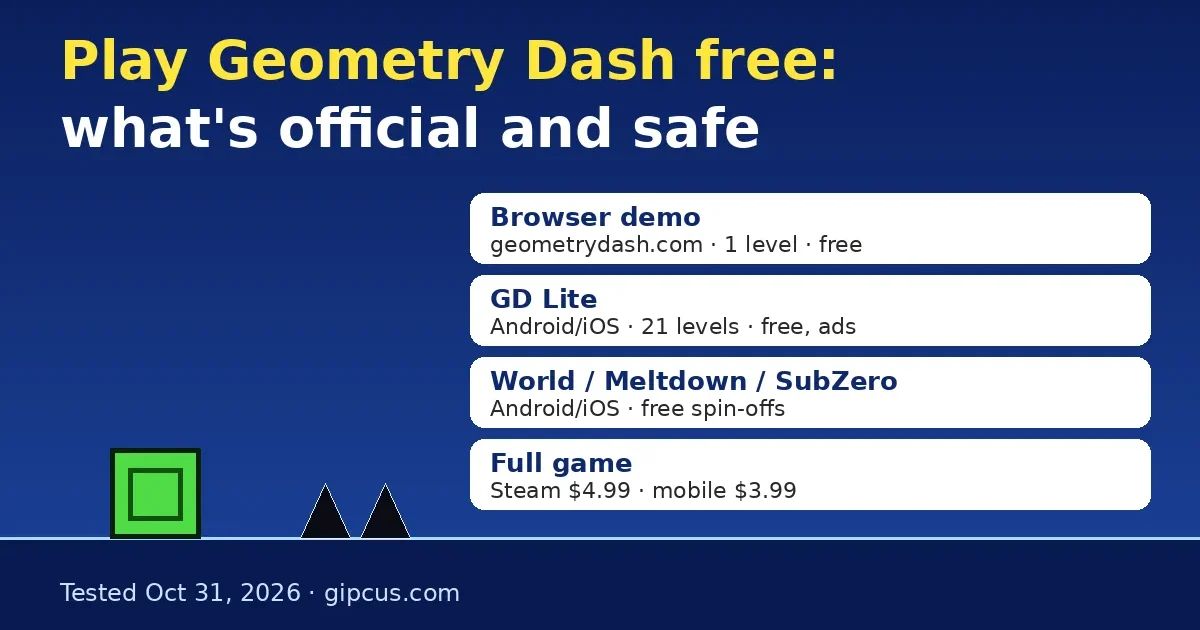
Quick answer: Yes, partly. RobTop’s own site, geometrydash.com, runs a free browser demo with one level, Stereo Madness. You don’t need a download or an account. For 21 free main levels, install Geometry Dash Lite on Android or iOS. The full game costs $4.99 on Steam (₹250 in India) or $3.99 on mobile.
By Ashish Sharma · Updated October 31, 2026 · How we verified: on October 31, 2026 we played the official demo at geometrydash.com/game/ in desktop Chrome and in an emulated iPhone, in landscape and portrait. We tested which keys jump, opened the pause menu, and reloaded the page to see if progress stays. We also decoded the demo’s level file. Prices and versions come from the Steam store, the App Store and Google Play on the same day, and from RobTop’s Steam announcements. Anything we couldn’t test ourselves is labelled.
Can you play Geometry Dash online for free?
Short answer: you can play one official level in a browser. More free levels need an app. Here is every legal free option RobTop offers, plus the paid full game for comparison.
| Option | Where | Price | Official levels | Level editor and online levels |
|---|---|---|---|---|
| Web demo | Browser, at geometrydash.com/game/ | Free, no account | 1 (Stereo Madness) | No |
| Geometry Dash Lite | Android, iOS | Free, with ads | 21 main levels, 4 Tower platformer levels, 1 secret level | No editor or search. Daily, Weekly and Event levels are included, plus some featured levels |
| Geometry Dash World | Android, iOS | Free, with ads | 10 short exclusive levels | No editor. Featured levels open once you finish the main levels |
| Geometry Dash Meltdown | Android, iOS | Free, with ads | 3 exclusive levels | No editor |
| Geometry Dash SubZero | Android, iOS | Free, with ads | 3 exclusive levels | No editor |
| Geometry Dash (full) | Steam (Windows, Mac), Android, iOS | $4.99 Steam, $3.99 mobile | 22 main levels plus 4 platformer levels | Yes, the full editor and every online level |
Level counts come from the Official Geometry Dash Wiki. Prices are US store prices we checked on October 31, 2026. All four free apps are made by RobTop Games AB, and the App Store lists all four at version 2.21.8, released October 21, 2026.
How do I play the official Geometry Dash browser demo?
RobTop announced GeometryDash.com on Steam on April 4, 2026: “Play Stereo Madness for free in your browser.” Here’s how to start.
- Go to geometrydash.com. Check the address. Sites with “geometry dash” somewhere in a longer domain name are not RobTop’s.
- Press the big green play button under “Try Me!”. The demo runs at geometrydash.com/game/, so you can also open that address directly.
- Jump with Space, the Up arrow, a left click or a tap. Hold the button to keep jumping each time you land.
- When you crash, the demo restarts on its own and shows “Attempt 2”, “Attempt 3” and so on.
- To pause, click the pause button in the top-right corner. The full-screen button is in the top-left corner.
- On a phone, turn it sideways. In portrait mode the game shrinks to a thin strip in the middle of the screen.
What does the Geometry Dash browser demo include?
We tested each of these ourselves. Results come from desktop Chrome unless the row says otherwise.
| What we checked | Result |
|---|---|
| Inputs that jump | Space, Up arrow, left mouse click, touch tap |
| Inputs that don’t jump | W, Enter, Z |
| Escape key | It didn’t pause the game in our test. Use the on-screen pause button |
| Holding jump | The cube keeps jumping each time it lands, just like the full game |
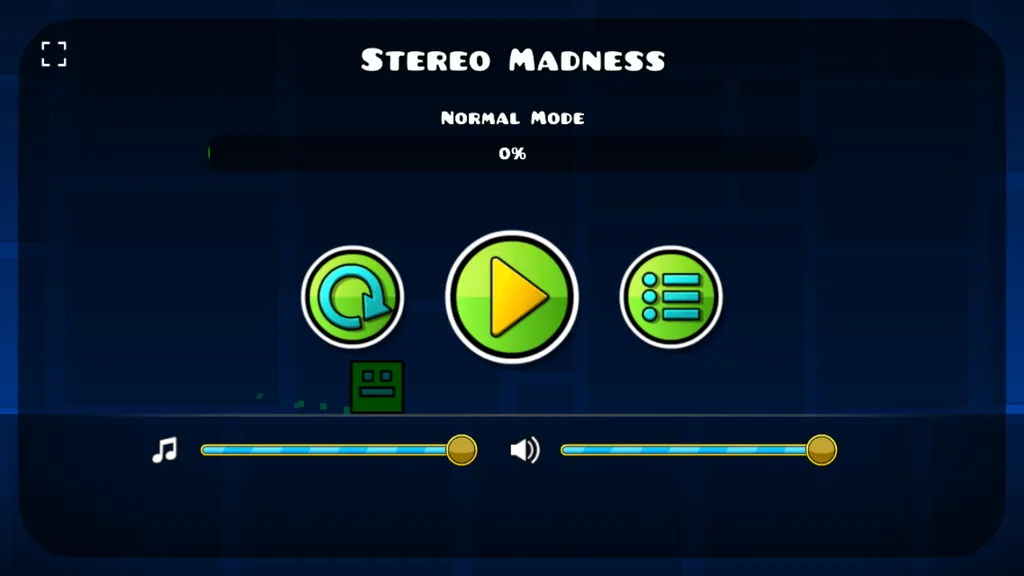
| Pause menu | Level name, “Normal Mode” best %, restart, resume, menu, music and sound sliders |
| Practice mode and checkpoints | Not in the pause menu |
| Does your best % save? | Only while the tab stays open. Our 1% best went back to 0% after a page reload, and the site stored nothing in local storage |
| Level length | Full length. The level file ends about 85 seconds in at normal speed (our calculation), and the bundled song lasts 1:27 |
| Secret coins | The level file we decoded has no secret-coin objects. The full game’s Stereo Madness has 3 |
| Phone (emulated iPhone) | Loads and jumps on tap in landscape. Portrait shows a small letterboxed strip |
| Engine | Phaser, a JavaScript engine (per Phaser’s June 15, 2026 news post). The full game runs on Cocos2d-x |
The demo’s credits screen says “Made by RobTop Games”, credits Stereo Madness to ForeverBound, and ends with: “Unauthorized copying, distribution, or hosting of this demo is prohibited.” That’s why we link to RobTop’s page instead of embedding the demo here.
Is Geometry Dash Lite free, and what do you get?
Yes. Geometry Dash Lite is RobTop’s free, ad-supported app for Android and iOS. Google Play lists it at 500M+ downloads with the “Contains ads” label. According to the Official Geometry Dash Wiki, you get:
- 21 of the full game’s 22 main levels, from Stereo Madness up to the Demon levels Clubstep, Theory of Everything 2 and Deadlocked. Deadlocked needs 30 secret coins to unlock.
- The 4 Tower platformer levels and the secret level The Challenge, which needs 200 diamonds to unlock.
- The Daily Level, the Weekly Demon, Event levels and practice mode. Gauntlets are unlocked by watching ads.
- No level editor and no level search. Those are only in the paid game.
Version 2.21.8 (October 21, 2026) brought Lite features from the big 2.209 update: platformer saving, death tracking, death markers, custom platformer controls, emotes and a news tab. That list comes from the App Store release notes. You can’t get Lite on Steam or PC. If your Chromebook can install Android apps from Google Play, Lite may run there too, but we haven’t tested it on a Chromebook. School-managed Chromebooks often block the Play Store.
Are “Geometry Dash online” and unblocked sites official?
No. RobTop’s only browser version is the demo on geometrydash.com. Anything else is a fan project or an unauthorized copy, whatever the site calls itself.
- Rehosted demos: pages that load RobTop’s demo inside their own site go against the demo’s own “unauthorized hosting is prohibited” notice.
- Fan mods like Web Dashers: these are modified builds of the web demo with more of the main levels. They aren’t made or endorsed by RobTop.
- Scratch versions: Scratch users said in December 2025 that griffpatch’s well-known Geometry Dash remake and most similar projects had been taken down after RobTop filed removal requests. Forum posters linked this to ad-funded sites reposting the projects. That’s a community report, not a statement from RobTop.
- “Free full version” downloads: RobTop doesn’t give away the full game. A free EXE or APK of the paid game is pirated by definition, and files like that are a common way to spread malware.
Can I play the full Geometry Dash for free?
No, not legally. The full game, with the level editor and online player-made levels, is a paid app. Prices we checked on October 31, 2026:
| Store | Price | Notes |
|---|---|---|
| Steam (US) | $4.99 | Windows and Mac. Version 2.209, released October 15, 2026 (UTC) |
| Steam (India) | ₹250 | Same build |
| Steam (UK) | £4.29 | Same build |
| App Store (US) | $3.99 | Version 2.2091, released October 19, 2026 |
| Google Play (US) | $3.99 | 10M+ downloads |
How do I play the full version on my phone if I bought it on Steam?
You have to buy it again. Steam, the App Store and Google Play are separate stores, so a Steam copy doesn’t unlock the phone app. You don’t have to start over, though. Your progress lives in your Geometry Dash account:
- On the device that has your progress, open Settings (the gear), then Account, register or log in, and press Save.
- Install the phone version and log in to the same account under Settings, then Account.
- Press Load to bring your save onto the phone.
The Official Geometry Dash Wiki says Lite and World can also move some unlocked items into the full game through the same account system.
What’s new in Geometry Dash 2.209?
RobTop’s Steam patch notes for update 2.209 (October 15, 2026, UTC) list platformer saving, custom keybinds, death tracking and markers, editor sounds and packs, importing and exporting editor levels, auto-save and auto-backup, custom platformer controls, a start position switcher, group ID names, replays of Daily, Weekly and Event levels, better friends and messaging, in-game notifications, emotes and a news tab. The free browser demo has none of these. It’s a separate Phaser build of one level.
Play similar free on Gipcus
If you’ve beaten Stereo Madness and want more one-button timing practice in a browser, these games run on Gipcus with no download. We loaded both today:
- Parkour Block 3: a block-style parkour game with a 43-level select screen. Jump with Space, move with WASD and run with Shift. It plays like Geometry Dash’s platformer levels, where you control the movement and one missed jump sends you back.
- Flappy Copter: tap or click to lift a copter through pipes. One touch ends the run, so it trains the same tap rhythm the ship sections need.
Want quick picks for a short break? See our 5-minute browser games for a lunch break. If you like reaction runners, read the Snow Rider 3D guide.
Frequently asked questions
Is Geometry Dash free to play?
Partly. The browser demo at geometrydash.com and four mobile apps (Lite, World, Meltdown and SubZero) are free. The full game costs $4.99 on Steam or $3.99 on iOS and Android.
Is geometrydash.com the official Geometry Dash website?
Yes. RobTop Games announced it on Steam on April 4, 2026. The demo there shows “© 2026 RobTop Games” and links to the App Store, Google Play and Steam pages.
How many levels are in the Geometry Dash browser demo?
One: Stereo Madness, the first main level, at full length. It has no practice mode, and the level file we decoded has no secret coins.
Does the Geometry Dash web demo save your progress?
Not after a reload in our test. The pause menu keeps your best % while the tab is open, but it went back to 0% after we refreshed the page.
What are the controls for Geometry Dash in a browser?
Space, the Up arrow, a left click or a tap makes you jump. Hold to keep jumping. W, Enter and Z didn’t work in our test, and Escape didn’t pause the game.
Can I play Geometry Dash Lite on PC?
No. Lite is only on Android and iOS. On a PC, use the browser demo for free or buy the full game on Steam.
Why can’t I find Geometry Dash on Scratch anymore?
Scratch users reported in December 2025 that griffpatch’s version and most Geometry Dash projects were removed after RobTop asked for takedowns. That’s a community report, not an official statement.
If I buy Geometry Dash on Steam, do I get it on my phone?
No. Each store is a separate purchase. You can move your progress by saving to your Geometry Dash account on one device and loading it on the other.