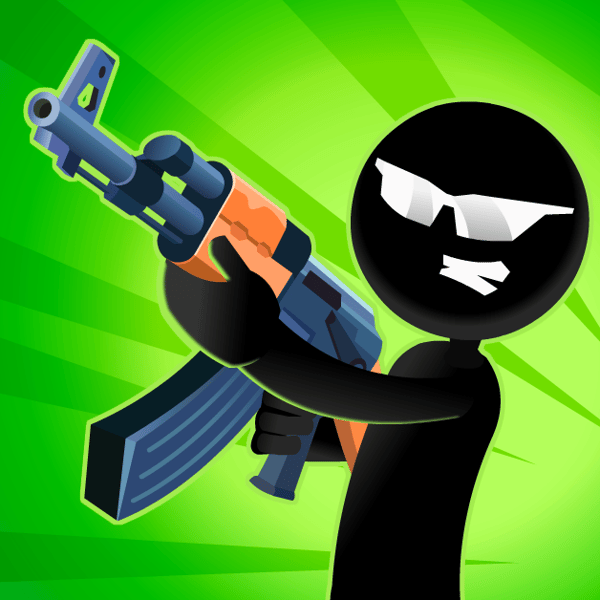
Want to play Stick Merge online free with no download? Open the browser build on Gipcus, merge identical guns into stronger weapons, upgrade weapons, and clear enemy waves in minutes—desktop or phone.
This guide covers how Stick Merge works, controls, workshop merge strategy, aiming tips that save ammo, and a short FAQ so you climb weapon tiers without stalling on a cluttered board.
Play Stick Merge Online Free →
What is Stick Merge?
Stick Merge is a casual action and merge game from developer TinyDobbins. Between missions you manage a compact workshop grid: buy guns, drag identical weapons together to create higher-tier firearms, then take that arsenal into quick shooting rounds where enemies peek from cover.
The loop is simple and sticky—merge for power, aim for efficiency, spend coins and crystals on upgrades and cosmetics, then push harder missions. It runs free in the browser on gipcus.com/game/stick-merge/, so there is no installer and no account required to start.
How to play Stick Merge online (controls)
- Open Stick Merge on Gipcus and hit play.
- Select and move weapons — click (or tap) and drag with the left mouse button / finger.
- Merge identical weapons — drop a gun on top of an identical one to create the next, stronger tier.
- Aim and shoot — move the mouse cursor (or drag your finger) over exposed enemies; your stickman fires at whatever is in the sights.
- Finish the mission objectives, collect coins/XP, return to the workshop, and merge again.
On mobile, the same drag-to-merge and drag-to-aim pattern applies. Keep the page focused so the pointer or finger tracks cleanly during busy waves.
| Action | Desktop | Phone / tablet |
|---|---|---|
| Move a weapon on the board | Click and drag with the left mouse button | Tap, hold and drag |
| Merge two guns | Drop a gun on an identical gun | Release a gun on an identical gun |
| Aim and shoot | Move the mouse cursor over an enemy | Drag your finger to steer the crosshair |
Workshop strategy: merge smarter, not wider
Most progress problems are board problems, not aim problems. Treat the workshop like a puzzle with limited slots.
- Keep 1–2 cells free. A full board blocks temporary moves and chain merges. Empty space is a resource.
- Prioritize merges over hoarding. A few high-tier weapons outperform a grid packed with low-level pistols.
- Buy cheap early. Early on, purchase the lowest-cost weapons to fuel rapid merges instead of waiting for rare drops.
- Plan 2–3 merges ahead. Before you drop a gun, check whether that move locks pairs you need next.
- Build one “star” gun. Push a primary damage dealer through tiers rather than spreading upgrades across every weapon type.
- Use corners for storage. Park unfinished pairs on the edges; keep the center open for active combining.
When missions start feeling tanky, stop buying random crates for a minute and clear merges until your equipped guns one-shot exposed targets again.
Shooting tips: cover, ammo, and timing
Stick Merge is a sniper-style shooter between merges. Enemies hide behind walls and crates—firing into cover wastes ammo and time.
- Wait for the peek. Hold fire until a stickman steps into the open for a clean hit.
- Track spawn rhythm. After a few missions you will learn common pop-out timings; pre-aim the lane instead of chasing the cursor late.
- Respect tougher targets. When enemies soak more shots, that is your cue to return to the workshop and merge—not to spam blindly.
- Save boosters for hard missions. Spend temporary power-ups on stages that actually threaten a fail, not on early farm rounds.
Accuracy beats panic. Clean hits pay more than spraying every silhouette the moment it appears.
Upgrades, crystals, and what to unlock first
Coins from missions fund new weapons and board options. Crystals from tasks and milestones often unlock helmets and survivability cosmetics that help on longer runs. A practical order:
- Unlock enough board space / basic weapons to keep merging fluid.
- Invest in upgrades that raise damage, fire rate, or income when available—mid-tier guns with solid base stats often beat neglected high-tier clutter.
- Spend crystals on helmets/survivability once your main gun path is climbing, not before you understand the merge ladder.
Unlocking 50+ unique weapons is a long-term goal in Stick Merge; treat early unlocks as merge fuel, not a collection checklist.
Common mistakes that stall progress
- Filling every slot so you cannot rearrange for a chain merge
- Shooting enemies still behind walls or boxes
- Spreading merges across many weak guns instead of one strong line
- Burning boosters on easy missions
- Ignoring income/damage upgrades while obsessing only over weapon level numbers
Fix those five and most “stuck” runs start moving again within a few missions.
Mission tips: read each wave
You play as a lone stickman sniper, so the work is choosing when to shoot and which gun to bring.
- Read the wave before you shoot. Note where enemies pop out (walls, crates, houses) and pre-aim that spot.
- Merge power beats wasted ammo. If enemies take too many hits, go back to the workshop and merge rather than firing into cover.
- Try different guns. Each gun type handles differently. Swap when a stage stalls.
- Collect coins and power-ups from each mission so the next round of merges is paid for.
Related free games and guides on Gipcus
If you want another quick browser session after Stick Merge:
- 2048: slide-merge number tiles, a different kind of merge game. Tips: 2048 strategy guide (corner method).
- Merge games explainer: Stick Merge vs 2048, side by side.
- Candy Fiesta: match-3 candy puzzle. See the Candy Fiesta guide.
- Brain Test: trick-question puzzles. Stuck? Use our Brain Test answers for all levels.
- Tribals.io: multiplayer island survival. See the Tribals.io how-to guide.
- MineCraft IO: browser mining and building. See the MineCraft.io guide.
- On a short break? See 5-minute browser games and quiet games for a work break.
FAQ: Stick Merge online free
Is Stick Merge free to play online?
Yes. Play the browser version on Gipcus Stick Merge without paying to start. Optional cosmetics or mobile-store extras (where applicable) do not block the core merge-and-shoot loop in the free browser build.
Do I need to download Stick Merge?
No download is required for the Gipcus browser version. Open the game page and play.
Who made Stick Merge?
Stick Merge was created by TinyDobbins, who also made the browser merge games Merge Round Racers, Merge Gangster Cars and Merge Cyber Racers.
What are the Stick Merge controls?
Drag to move and merge weapons; drag to aim and shoot enemies. Mouse on desktop, touch-drag on phones and tablets.
How do I get stronger guns faster?
Keep free board space, merge duplicates immediately when it advances your best line, buy cheap weapons early for merge material, and wait for clean shots so missions pay out consistently.
Can I play Stick Merge on my phone?
Yes. It runs on desktop, phone and tablet browsers. Tap and drag to merge, and drag your finger to aim.
What are crystals for in Stick Merge?
You earn crystals by completing tasks. Spend them on helmets for your stickman, which help you survive harder missions.
Is Stick Merge like 2048?
Both are merge games, but Stick Merge merges guns and then puts them to use in shooting missions, while 2048 is a pure number-tile puzzle. Our merge games explainer compares them.
Ready when you are—merge your first pair, clear a mission, and climb the arsenal on Gipcus.