




About Cosmic Layer
- Platform
- Desktop & mobile
- Price
- Free
- Plays
- 1
- Updated
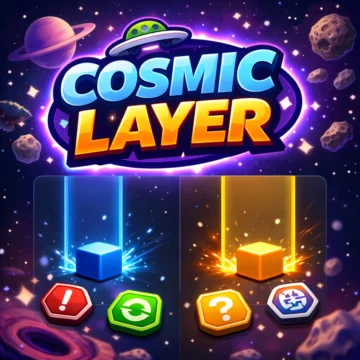
Cosmic Layer is a free one-tap timing game, exclusive to Gipcus. Press Space, click or tap to lock a moving bar inside the target zone; every hit scores a point and a level. Play online in your browser with no download or account.
How to play: Wait for the bar to enter the lit zone and press once. The board rotates every 5 points, red obstacle blocks appear from level 3, and one miss ends the run. Reach level 100 to beat it.
As a Gipcus Exclusive title, Cosmic Layer is built for instant browser play on phone or desktop. Start free and see how far into the cosmos you can go.
Visuals lean into space atmosphere without burying you in menus. Play Cosmic Layer free on Gipcus whenever you want an exclusive cosmic session in the browser.
How Cosmic Layer works
Inside the game the title screen reads Cosmic Lock, a hyper-reflex timing game. A bar moves back and forth across the playfield and a target zone lights up. Press at the exact moment the bar sits inside the zone to lock it in and score a point. Miss the zone once and the run ends with a Target missed message.
Cosmic Layer controls
- Desktop: press Space or click to lock the bar.
- Mobile: tap anywhere on the screen.
How to play Cosmic Layer
- Press Space or tap to start; a short countdown runs first.
- Watch the moving bar and wait until it is inside the target zone.
- Press once to lock it. Each hit adds one point and moves you up a level.
- Every 5 points the whole board rotates, so the bar may run sideways or upside down.
- From level 3, red obstacle blocks appear (up to three later on). Pressing while the bar is over one ends the run.
- Reach level 100 to beat the game. One miss ends the run.
Tips for Cosmic Layer
- Do not chase the bar with your eyes; watch the target zone and press as the bar arrives.
- The bar speeds up and the zone shrinks as you climb, so commit to a steady rhythm early.
- When the board rotates, take a breath and re-read which way the bar is moving.
- Your best score is saved as your Record in the browser, so you can beat it later.
Cosmic Layer FAQ
Is Cosmic Layer free? Yes. It is a Gipcus exclusive you can play free in your browser with no download.
How many levels are there? There are 100 levels. Each successful lock moves you up one level.
Can I continue after a miss? After a miss you can restart from level 1, or use the continue option when it is offered.
What are the controls? Press Space or click on desktop; tap anywhere on mobile.
Why does the game say Cosmic Lock? The title screen inside the game reads Cosmic Lock; on Gipcus it is listed as Cosmic Layer. It is the same game.
Related games
Liked Cosmic Layer? Try these free games on Gipcus next: