
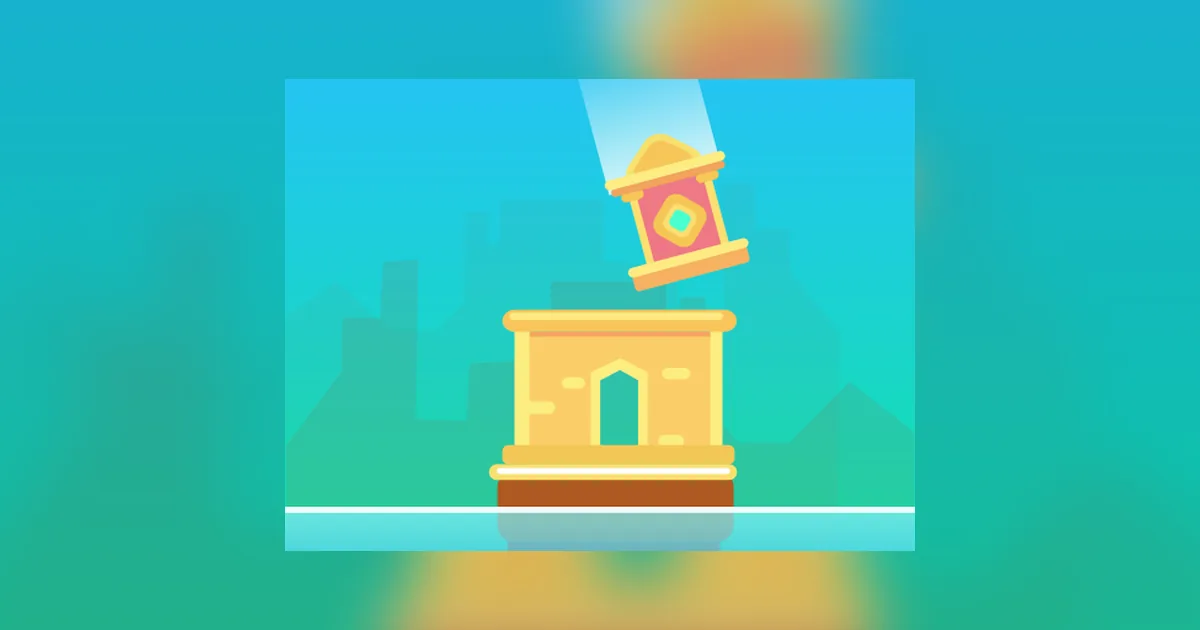
Quick answer: Stack Tower is a free 40-level physics stacking game by QKY Games. Aim the hanging block, then click or lift your finger to drop it. Build up to the dotted line, then land the roof piece. Once a block stops moving it locks in place. Only a block that falls into the water ends the level.
By Ashish Sharma, for the Gipcus Guides team · Updated November 2026 · How we got this: we read the event code and the 40 level layouts of the version we host (controls, win and lose rules, goal heights, which pieces drop). We did not play-test every rule. Numbers marked “our calculation” use the game’s own values.
Play Stack Tower free on Gipcus with no download. It’s a calm, quick-session puzzle for players in the US, UK and anywhere else, on a PC, Chromebook, phone or tablet. Most pages about it are one-line portal blurbs. This guide explains what the code actually does, so you know why a tower holds and why it doesn’t.
How do you play Stack Tower?
- Pick a level. Press Play, then choose a level on the level select screen. Levels unlock in order, 20 per page.
- Aim the block. On a computer, the block at the top follows your mouse left and right. On a phone or tablet, touch and drag.
- Drop it. Click, or lift your finger. The block falls onto the platform or onto your tower.
- Wait for it to settle. The next block only appears when the last one has stopped moving. The camera then moves up with your tower.
- Reach the dotted line. When a settled block touches the line, the next piece is the roof (the topper). Land it safely to win.
How do you win a level in Stack Tower?
You win in two steps. First, a block has to come to rest touching the dotted goal line. In the code, the game checks this at the moment each block settles. Next, instead of a normal block, the game gives you the roof piece. When the roof stops moving without falling, you win. Confetti plays and the next level unlocks.
So reaching the line isn’t the end. Leave a flat, steady top for the roof, because it still has to land and stay up. There’s no timer and no limit on the number of blocks.
What makes you lose in Stack Tower?
Only one thing ends a level: a block that is still falling hits the water or the zone at the bottom of the screen. The game then shows the defeat screen. Continue restarts the same level, and Menu goes back to level select.
The key rule (read from the code): when a block stops moving, it is frozen in place. It becomes an immovable object. A later block can bump into it but can’t push it, tip it or knock it off. That means your tower can’t collapse the way a real one would. The only risk is the block you just dropped sliding or rolling off before it settles.
One trap: the pause button at the top left doesn’t pause. In the code it takes you straight back to the level select screen, and you lose that level’s progress. Not tested on every device.
How tall is the tower in each level?
All 40 levels use the same platform. It’s about half the width of the game screen (202 of 405 pixels). What changes is how high the dotted line sits and which pieces you get. We measured the gap from the top of the platform to the goal line in each level layout. The game screen is 720 pixels tall.
| Levels | Goal height (pixels) | In screen heights (our calculation) | Odd shapes in the mix |
|---|---|---|---|
| 1 | 310 | 0.43 | None |
| 2 | 394 | 0.55 | None |
| 3 | 477 | 0.66 | None |
| 4 to 6 | 477 | 0.66 | 20% |
| 7 and 8 | 635 | 0.88 | 20% |
| 9 to 13 | 635 | 0.88 | 30% |
| 14 to 18 | 796 | 1.11 | 30% |
| 19 to 26 | 796 | 1.11 | 40% |
| 27 to 29 | 883 | 1.23 | 50% |
| 30 to 34 | 1,020 | 1.42 | 50% |
| 35 to 40 | 1,087 | 1.51 | 50% |
Our calculation: the goal in levels 35 to 40 is 3.5 times as high as in level 1, and taller than one full game screen. From level 14 on, the line starts above the top of the screen, and the camera scrolls up as you build.
Which pieces drop in each level?
The game has two piece sets: 14 building blocks (floors and walls with flat tops and bottoms) and 6 odd shapes (pieces that are harder to balance). Levels 1 to 3 only drop building blocks. After that, each new piece has a set chance of being an odd shape, shown in the table above. The odds go from 20% up to 50% by level 27.
The code also counts your pieces, and every fifth piece is always a building block. Our calculation: that lowers the real share of odd shapes to about 16% (levels 4 to 8), 24% (9 to 18), 32% (19 to 26) and 40% (27 to 40). Which block or shape you get is random each time.
What are the best Stack Tower tips?
- Centre first, edge later. The platform is only half the screen wide. Keep early blocks near the middle so you have room to fix mistakes higher up.
- Use the lock rule. A settled block can’t be knocked off. If a block lands at an odd angle but stops, it’s safe. Build on its flattest side.
- Line up before you drop. Every block falls from the same height, so take your time aiming. A block that lands on one corner is the one that slides off.
- Fill gaps with odd shapes. Put an odd shape into a dip in the tower, then cap it with the next flat building block. One is always coming within five pieces.
- Save a flat top for the roof. As you get close to the dotted line, finish on a wide, level block so the roof lands cleanly.
- Don’t touch the pause button mid-level. It quits to level select instead of pausing.
Does Stack Tower save your progress?
Yes, but only in your browser. The game saves your unlocked levels in local storage under its own save name. Play in the same browser on the same device and your levels stay unlocked. If you clear site data, use a private window or switch devices, you start again from level 1. There’s no account or cloud save.
Who made Stack Tower?
Stack Tower is made by QKY Games (qkygames.com). It’s distributed to sites like Gipcus through GameDistribution, so a short ad can play between levels. It’s an HTML5 game built with Construct 2, so it runs in Chrome, Edge, Safari and Firefox with no install. Don’t confuse it with QKY’s other game, Stack Color, which is an endless timing stacker.
Play similar free games
- Slip Blocks: slide blocks along open paths until every piece fits the goal shape.
- Bridge Builder: another physics puzzle. Place beams and supports, then test whether your bridge holds.
- Aqua Blocks Candy: another free block game for short breaks.
Short on time? Our 5-minute browser games for a lunch break list has more quick picks. For more calm puzzles, read our 2048 strategy guide or our Water Color Sort tips.
Stack Tower FAQ
Is Stack Tower free to play?
Yes. Stack Tower is a free HTML5 game by QKY Games. You can play it on Gipcus in any browser on a PC, Chromebook, phone or tablet, with no download or sign-up.
How many levels are in Stack Tower?
There are 40 levels. They unlock one at a time when you beat the one before. The goal line gets higher in steps, from 310 pixels in level 1 to 1,087 pixels in levels 35 to 40.
How do you beat a level in Stack Tower?
Stack blocks until one settles touching the dotted line. The game then gives you the roof piece. Land the roof so it comes to rest without falling, and the level is complete.
Can my tower fall over in Stack Tower?
Not once a block has settled. In the game code, each block is frozen in place as soon as it stops moving, so later blocks can’t knock it off. Only the block you just dropped can fall, and if it reaches the water you lose the level.
Why does the pause button send me to the menu in Stack Tower?
In the version we host, the pause button doesn’t pause the game. It goes straight to the level select screen, so the level restarts next time you play it.
Does Stack Tower save my levels?
Yes, in your browser’s local storage. Your unlocked levels stay as long as you use the same browser and don’t clear site data. There’s no account or cloud save.