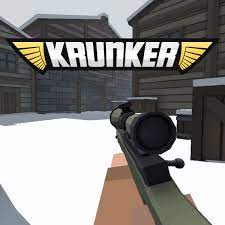
Want to play Krunker.io online free with no download? Jump into the browser FPS on Gipcus, pick a class, aim with mouse or touch, and climb the scoreboard in fast multiplayer rounds—desktop or phone.
This guide covers what Krunker.io is, desktop and mobile controls, class and weapon tips, map and movement habits, common mistakes, related free .io games, and a short FAQ.
What is Krunker.io?
Krunker.io is a free browser first-person shooter you can play online on Gipcus. Matches are short, maps are compact, and every class has a clear role—from snipers to shotgun rushers—so you can learn the loop in a few rounds without installing a launcher.
The pitch is simple: spawn, fight, respawn, and chase high scores with movement tricks and clean aim. It runs free at gipcus.com/game/krunker-io/, so there is no Steam install and no account wall to start shooting.
Krunker.io game modes
The game page lists several modes, including these three. Pick one before you join:
- Free-For-All: everyone against everyone. Best for practising aim and learning maps.
- Team Deathmatch: two teams trade kills. Stick near teammates and cover their flanks.
- Capture the Flag: grab the enemy flag and carry it home. Movement and teamwork matter more than kill count.
Before a match you can also customize your character with skins and accessories such as hats and glasses, and pick a weapon type such as a rifle, shotgun or pistol.
How to play Krunker.io online (controls)
- Open Krunker.io on Gipcus and start a match.
- Pick a class that matches how you want to fight—long range, mid-range spray, or close rush.
- Move and aim while you learn spawn points and high-traffic lanes.
- Shoot, reload, and reposition after every fight instead of camping one corner.
- Use score streaks and smart class switches to climb the board before the round ends.
Desktop: WASD to move, mouse to look and aim, left click to shoot, R to reload, Space to jump, Shift to crouch or slide (depending on bind), and the class menu to switch loadouts when allowed.
Mobile: use on-screen joysticks and fire buttons. Keep thumbs light so aim doesn’t drift; practice one class until muscle memory sticks.
Krunker.io controls at a glance
| Action | Desktop | Phone or tablet |
|---|---|---|
| Move | W A S D | Left on-screen joystick |
| Look and aim | Mouse | Right side of the screen or joystick |
| Shoot | Left mouse button | Fire button |
| Reload | R | Reload button |
| Jump | Space | Jump button |
| Crouch or slide | Shift (default bind) | Crouch button if shown |
Keys can be rebound in the game’s settings, so check there if a key does something different.
Class and weapon tips
Winning in Krunker is less about spraying every lobby and more about picking a class that fits the map and your aim style.
- Assault / mid-range classes — best default for learning. Hold mid angles, burst fire, and trade only when you have cover.
- Sniper classes — hold long sightlines and high ground. Pre-aim corners; don’t peek the same window twice.
- Shotgun / rush classes — close the gap fast, jump into fights, and disengage if the first shot misses.
- Switch when stuck. If a map punishes your range, change class instead of forcing bad fights.
Reload behind cover, not mid-strafe in the open. Most “unfair” deaths are empty magazines in a doorway.
Map and movement tips
Krunker rewards players who move with purpose. Standing still is free damage for anyone watching that lane.
- Learn two routes per map — a main fight lane and a flank so you always have a reset after a death.
- Use jump timing to break enemy crosshairs; predictable walking lines get lasered.
- Take high ground when it’s free, then leave before the lobby funnels to you.
- Don’t chase every kill into enemy spawn. Stabilize, reload, then re-engage from a strong angle.
When you die, note where the killer came from. Two deaths later you should already be pre-aiming that approach.
Common mistakes that lose fights
- Standing still while aiming instead of strafing between shots
- Reloading in the open after a kill instead of ducking behind cover
- Peeking the same angle after dying without changing class or path
- Picking a sniper on a tiny close-quarters map (or a shotgun on long sightlines)
- Tunnel-visioning one target while ignoring the flank
Fix those five and most Krunker sessions feel cleaner within a handful of matches.
Your first Krunker.io match in five minutes
- Open the Krunker.io page and wait for the menu to load.
- Pick Free-For-All for your first match so you can learn the controls without letting a team down.
- Choose a mid-range weapon such as a rifle.
- Spend the first minute walking the map and noting where players come from.
- Fight from cover, reload behind walls, and keep moving between shots.
- When the round ends, check the scoreboard, then try Team Deathmatch or Capture the Flag.
Related free games on Gipcus
If you want another quick browser session after Krunker.io:
- Stick Merge — merge guns and clear stickman missions (Stick Merge guide)
- Tribals.io — survival crafting .io adventure (Tribals.io guide)
- Paper.io 2 — claim territory in classic .io style
- Mine Craft.io — browser building and survival vibes (MineCraft.io guide)
- Slither.io — eat-to-grow snake .io (Slither.io guide)
- Pac-Man — classic maze chase, instant play
- Best .io games online free (2026) — more instant-play picks
FAQ: Krunker.io online free
Is Krunker.io free to play online?
Yes. Play Krunker.io free on Gipcus Krunker.io in your browser—no paid launcher required to start the core FPS.
Do I need to download Krunker.io?
No download is required for the Gipcus browser version. Open the game page and play.
Can I play Krunker.io on mobile?
Yes. The game runs in mobile browsers with on-screen controls, so you can aim and move on phone or tablet.
What class should beginners use?
Start with a mid-range assault-style class so you learn map routes and spray control before specializing into sniper or shotgun play.
What game modes does Krunker.io have?
Several, including Team Deathmatch, Free-For-All and Capture the Flag.
How do I reload in Krunker.io?
Press R on desktop, or the reload button on mobile. Do it behind cover.
Do I need an account?
You can jump straight into the Gipcus embed and start a match. No purchase is required to try the core mode.
Ready when you are—pick a class, land your first clean fight, and climb the scoreboard on Gipcus.