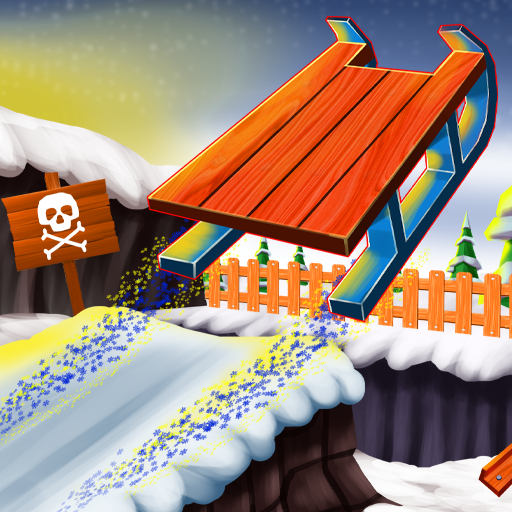
Want to play Snow Rider 3D online free with no download? Open it on Gipcus and you are on the slope in seconds: a sled, an endless snowy mountain, and one rule. Do not hit anything.
This guide covers the controls, what you can jump and what you must dodge, how gifts and sleds work, and a few habits that push your distance further.
Play Snow Rider 3D Online Free →
What is Snow Rider 3D?
Snow Rider 3D is a browser sledding game built as an endless runner. Your sled slides downhill on its own, the slope keeps generating ahead of you, and the pace climbs the longer you survive. A single crash into a tree, rock, or cabin ends the run, so every attempt is short and the next one starts right away.
Along the way you grab wrapped gift boxes. Gifts carry over between runs and are spent in the shop on new sled designs, which gives the quick sessions a long-term goal. The Gipcus version runs in the browser at gipcus.com/game/snow-rider-3d/, with nothing to install.
How to play Snow Rider 3D (controls)
- Open the Snow Rider 3D page on Gipcus and let the game load.
- Click or tap to start. Your sled begins moving downhill automatically.
- Steer with the Left arrow or A, and the Right arrow or D.
- Press the Up arrow or W to jump.
- Collect gifts on the way, and after a crash start a new run or spend your gifts on a new sleigh.
Snow Rider 3D controls at a glance
| Action | Arrow keys | WASD |
|---|---|---|
| Steer left | Left arrow | A |
| Steer right | Right arrow | D |
| Jump | Up arrow | W |
| Move downhill | Automatic | |
These are the official controls from the game’s publisher listing (Snow Rider 3D by GameBiz on GameDistribution). The listing marks the game as mobile-web compatible on iOS and Android.
A keyboard gives you the most precise steering, so desktop or a laptop is the best way to chase a high score.
Steer first, jump when you can’t steer around
Steering is your main tool. Jumping is for the things in your path that you cannot steer around in time. The most common early mistake is jumping by reflex and landing straight in the next obstacle, so make steering your default and keep the jump as a backup.
- Look two obstacles ahead. Pick the open lane early and drift into it with small taps.
- Jump only when the lane is blocked. If there is no gap to steer through, jump instead of forcing a hard turn.
- Don’t hug the sides. The centre of the slope leaves room to move either way.
- Learn each obstacle once. When something ends your run, note whether a jump or a steer would have saved you, and use that next time.
Gifts are the whole economy
Gifts are what you collect on the slope, and you spend them to buy new sleighs. That gives the short runs a long-term goal: every run adds a few more gifts toward the next sleigh you want.
That also means a gift is never worth a crash. If a box sits next to a tree at high speed, let it go. A longer run almost always pays more gifts than one risky grab.
Tips for longer Snow Rider 3D runs
- Stay near the center. The middle of the slope gives you room to move either way when something appears.
- Steer early and small. Short taps beat long, hard turns. Over-steering into the next obstacle is a classic run-ender.
- Look ahead, not at the sled. Your eyes should be on the next two obstacles, not the one you are passing.
- Save jumps for what you cannot dodge. Landing badly in the middle of a cluster is worse than weaving around it.
- Grab the easy gifts early. The first stretch is slow, so collect freely there and get pickier as speed climbs.
- Play several short runs. Layouts change each time, and quick restarts build the reflexes you need for the fast section.
Your first run, step by step
- Open Snow Rider 3D and press play.
- Rest your fingers on the arrow keys (or A, W, D) before the sleigh picks up speed.
- For the first run, ignore gifts and just survive: steer with short taps and look ahead.
- From the second run, grab gifts that sit in your lane, and skip ones next to obstacles.
- When you have enough gifts, buy a new sleigh, then try to beat your distance.
Is Snow Rider 3D free and safe to play on Gipcus?
Yes. Snow Rider 3D on Gipcus is free and runs directly in your browser, so there is no download or account needed. Like most browser games, progress is tied to the browser you play in, so playing on another device or clearing site data may start you fresh.
Snow Rider 3D FAQ
How do you jump in Snow Rider 3D?
Press the Up arrow key or W.
How do you steer?
Left arrow or A steers left; Right arrow or D steers right. The sleigh moves downhill on its own.
What are gifts for?
You spend the gifts you collect to buy new sleighs.
Can I play Snow Rider 3D on my phone?
Yes. The game is listed as mobile-web compatible on iOS and Android, though a keyboard gives the most precise steering.
Is there a finish line?
No. The goal is to go as far as you can for a high score.
More free games like Snow Rider 3D
If you like quick-reflex runs where one mistake restarts the level, try these next on Gipcus:
- Bike Racing 3 for physics-based tracks where balance matters as much as speed.
- Jungle Run OZ for another endless runner with lane-switching and jumps.
- Vex 10 for tight stickman platforming. Our Vex 10 guide covers the controls.
- Stickman Death Run for trap-filled courses that reward timing.
- Slither.io for another quick restart-and-retry game (Slither.io guide).
Want more short games? See 5-minute browser games for a lunch break and 2 player games on the same keyboard.