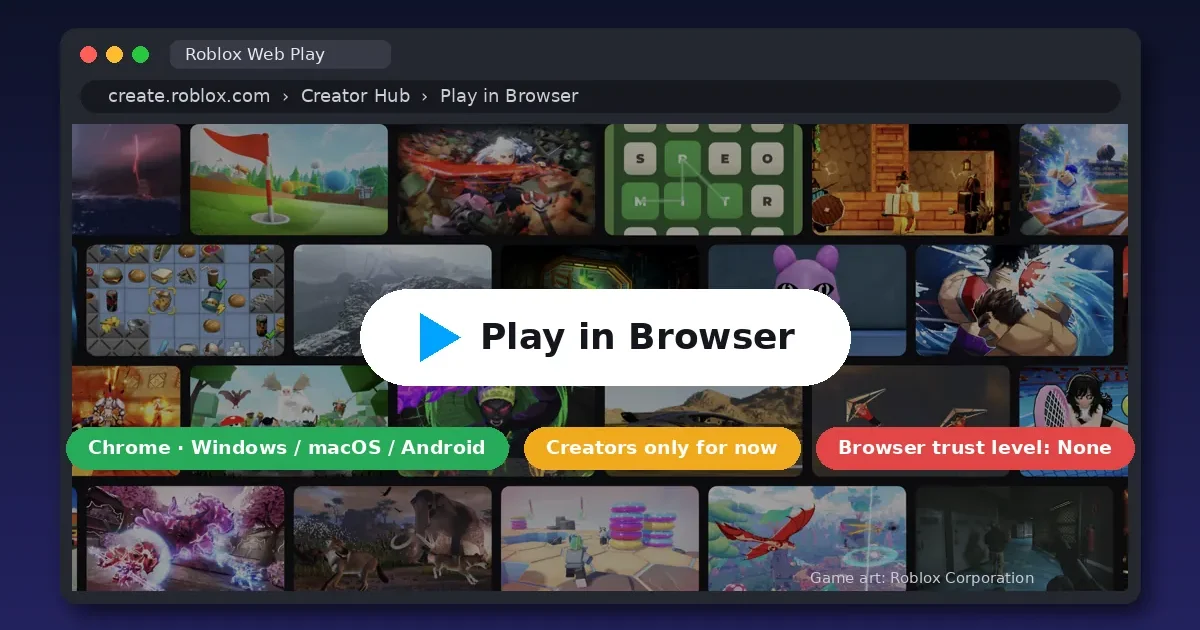
Quick answer: Not yet for most players. Roblox Web Play opened on October 29 as a creators-only beta: you can play only games you own or help test, in Chrome on Windows, macOS or Android. Roblox aims to start rolling it out to everyone before the end of the year. Browser players will have fewer features and may face trading limits.
By Ashish Sharma · Updated October 30, 2026 · How we checked: every detail below comes from Roblox’s own Web Play beta announcement, its RDC 2026 newsroom post and the official Device Trust documentation. The beta only opens for creators’ own games, so we haven’t played it ourselves and make no claims from hands-on testing.
In Short
- Web Play beta is live, but only creators can use it, on their own games.
- It runs in Chrome on Windows, macOS and Android. iPhone, iPad and Chromebook aren’t included.
- Voice chat, party chat and Friends chat don’t work in the browser yet.
- The catch most coverage skips: browsers always get the lowest Device Trust level, and Roblox advises games to block trading, ranked play and AFK rewards at that level.
Can you play Roblox in a browser now?
Only if you’re a creator testing your own game. On October 29, Roblox posted “Creators Can Test Games on the Web” on its Developer Forum. Web Play early access is “available for Creators only”, so they can find bugs and tune performance “before we open Web Play to all players”. Here’s who can use it today:
- Games you own yourself: only you can open them in the browser.
- Group-owned games: the group owner plus anyone with edit permissions, early testers and play testers.
- Everyone else: no access yet. You can’t open a public game like a popular simulator or obby in a browser tab today.
Roblox first promised browser play at its developer conference on September 11. The official press release said players would be able to join a game “in-browser on Chrome (additional browsers to follow) from a game’s Experience Details Page, with no app or install required”. The beta’s FAQ is more careful: Roblox is “aiming to start a progressive rollout before the end of the year”. So expect access in waves, not a single switch-on day.
How do creators open a game with Web Play?
Open the game in Creator Hub using Chrome and click “Play in Browser”. The full steps:
- Update Chrome. Roblox warns that Chrome versions below 156 have a bug on x86 PCs that can crash the game after about five minutes.
- Use a supported system: Chrome on Windows, macOS or Android. Roblox says it’s focusing on Chrome rather than other Chromium browsers, because some of them are built with settings that interfere with Web Play.
- Open your game in Creator Hub (create.roblox.com) while signed in as the owner or an approved group member.
- Click “Play in Browser”. The first load is slow because your browser downloads the client. “No install” doesn’t mean no download.
- Report bugs in the new “Roblox Application & Web / Web-Play” category on the Developer Forum. Include your device and Chrome version.
Which devices and browsers does Web Play support?
Chrome on Windows, macOS and Android, for now. Roblox says it blocks other OS and browser combinations by default during the beta.
| Device | Web Play beta? | Why |
|---|---|---|
| Windows PC (Chrome) | Yes | Supported |
| Mac (Chrome) | Yes | Supported |
| Android phone or tablet (Chrome) | Yes | Supported |
| iPhone or iPad (any browser) | No | All iOS browsers use Apple’s WebKit, which Roblox hasn’t verified yet |
| Chromebook | Not listed | ChromeOS isn’t on Roblox’s list. Use the Android app instead |
| Firefox, Safari, Edge, Brave, others | Not officially | Roblox is focusing on Chrome first and plans more browsers over time |
For the wider launch, Roblox plans to require 6 GB of RAM, a 4-core 64-bit CPU and a graphics chip with hardware-accelerated WebGL 2 and WebGPU support. It says those requirements “may change”, and the creator beta doesn’t enforce any minimum yet.
What’s missing from Roblox in a browser?
Voice and social features, plus some graphics. Roblox lists these as unavailable on Web Play “in the immediate future”:
- Voice chat, party chat and Friends chat
- Switching avatars in-game, and Dynamic Heads through Self View
- In-game video playback and video ads
- Image and Moments capture
- Haptics (controller vibration)
Web Play currently draws with WebGL, so high-quality shaders and advanced lighting don’t render. Text and icons can look blurry, and in-game settings reset between sessions. On Windows PCs with two graphics chips, Chrome picks the weaker integrated one. Roblox plans to move to WebGPU before the full release, which should improve visuals and speed. Still, Roblox says plainly that “the native client will always be better” for performance.
Why might browser players be blocked from trading?
Because a browser can’t prove it hasn’t been tampered with, so Roblox always rates it as untrusted. This is the part most Web Play coverage skips. In late October, Roblox released a Device Trust API “for Android and the upcoming Web client”. Games use it to check whether a player’s device is genuine when they join. Roblox’s documentation lists web browsers as “Can’t be verified”, so every browser player reports the lowest level, None.
Roblox itself doesn’t take any action based on that level. Each game decides. But Roblox’s own recommended policies treat “None” like this:
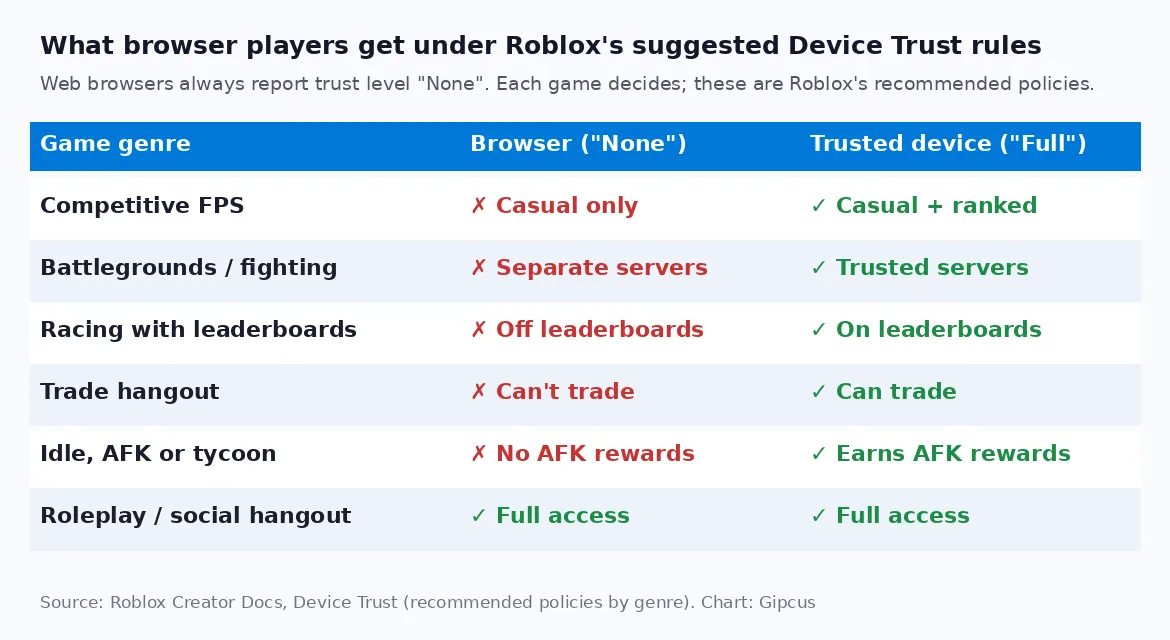
| Game type | Browser player (“None”) | Trusted device (“Full”) |
|---|---|---|
| Competitive FPS | Casual matches only | Casual and ranked |
| Battlegrounds or fighting | Separate servers | Trusted servers |
| Racing with leaderboards | Kept off leaderboards | On leaderboards |
| Trading hangout | Can’t trade | Can trade |
| Idle, AFK or tycoon | No AFK rewards | Earns AFK rewards |
| Roleplay or social hangout | Full access | Full access |
Roblox also points creators of competitive games to this API in the Web Play announcement. So if you plan to trade pets or items, grind AFK rewards or play ranked, use the Roblox app. Use the browser for quick, casual sessions, such as joining from a link a friend sent you.
What does Web Play mean for players?
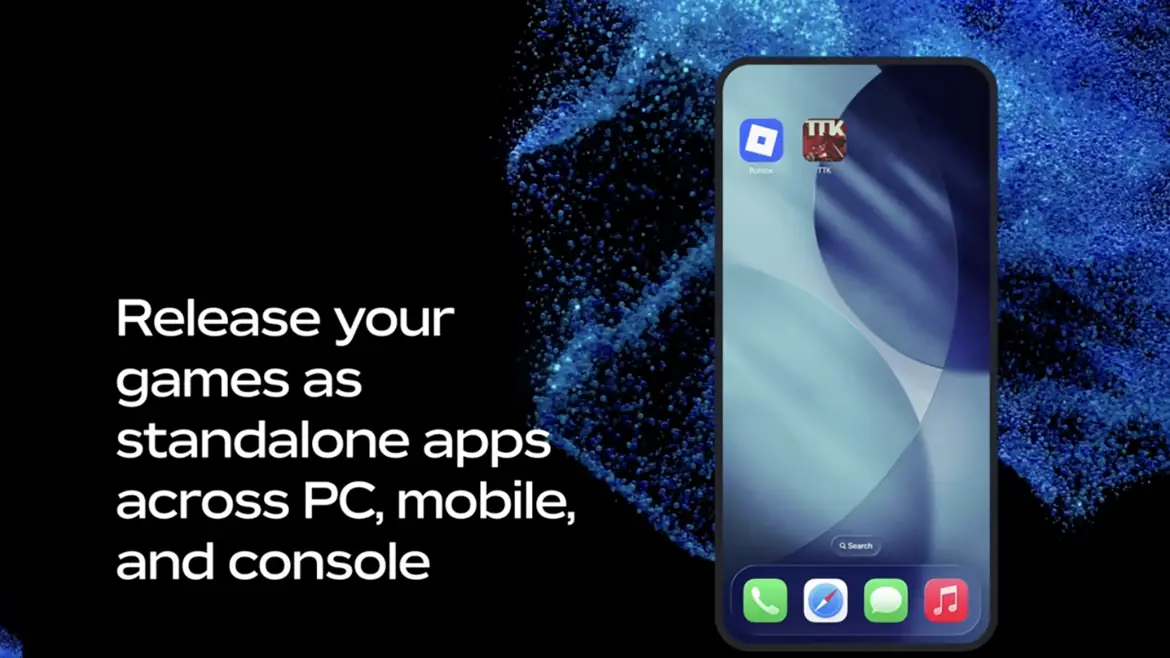
Faster ways in, but the app stays the best way to play. Roblox’s pitch is that a game link shared “from anywhere (search, YouTube, X, an email from a friend, or a creator’s social channel)” can start a game in one click. That helps on school or work laptops where you can’t install apps (if your admin allows the site), on a friend’s PC, and on low-storage phones. Web Play is part of a bigger plan Roblox calls Roblox Everywhere, which will also let creators release games as standalone apps on mobile, PC and consoles.
Two more things to know. Sites that already promise “Roblox in your browser”, such as now.gg, are third-party services, not Web Play. Only Roblox’s own website will host the official client. And Roblox also plans offline play: creators will be able to add offline solo modes, with full availability by mid-2027 and early access coming soon.
Want blocky games in a browser tab today?
No beta access or install needed. These free games already run in Chrome, Safari or Firefox:
- MineCraft.io: block building and survival. Start with our MineCraft.io how-to-play guide.
- Tribals.io: multiplayer survival and crafting. See our Tribals.io tips.
- Our best .io games list and 5-minute browser games have more instant picks.
Frequently asked questions
Can you play Roblox in a browser right now?
Only if you made the game. Since October 29, Roblox’s Web Play beta lets game owners, and editors or testers of group games, open their own games in Chrome from Creator Hub. Regular players still need the Roblox app until Roblox starts its wider rollout.
When will Roblox Web Play be available for everyone?
Roblox says it is aiming to start a progressive rollout before the end of the year. That means access will arrive in waves, not for every account on one day. At launch you’ll join from a game’s page in Chrome with no app install.
Is now.gg the official way to play Roblox in a browser?
No. now.gg, CloudMoon and similar sites are third-party services, not Roblox’s Web Play. Roblox’s own browser client runs from Roblox’s website, starts in Chrome, and currently opens only through Creator Hub for creators testing their games.
Does Roblox Web Play work on iPhone, iPad or Chromebook?
Not in the beta. Roblox lists Chrome on Windows, macOS and Android. It says every iOS browser runs on Apple’s WebKit, which it hasn’t verified yet. ChromeOS isn’t on the list, so Chromebook players should keep using the Android app.
What PC do you need for Roblox in a browser?
For the wider launch, Roblox plans to require 6 GB of RAM, a 4-core 64-bit CPU and a graphics chip with hardware-accelerated WebGL 2 and WebGPU support. The creator beta doesn’t enforce a minimum, and Roblox says the requirements may change.
Can you use voice chat in Roblox Web Play?
No. Voice chat, party chat, Friends chat, in-game avatar switching, video playback, screenshots and haptics are all missing from Web Play for now. Roblox hasn’t given a date for adding them.
Can browser players trade in Roblox games?
It depends on each game. Browsers always report a Device Trust level of None, and Roblox’s suggested policy for trading games is to block trades at that level. A game can choose to ignore that advice, so check each game’s rules.
Sources: Roblox Developer Forum (Web Play beta, Device Trust API), Roblox Creator Docs (Device Trust), Roblox newsroom and investor relations (RDC 2026). Web Play is a beta and Roblox says details can change. We’ll update this page when the public rollout starts.