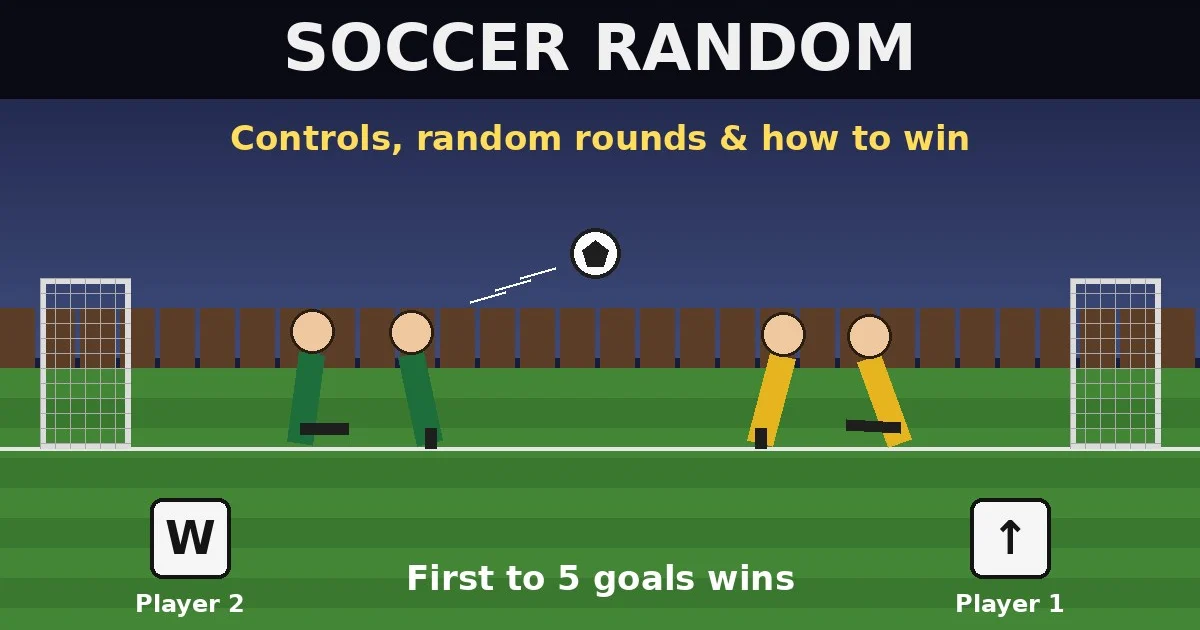
Quick answer: Soccer Random is a one-button football game. First to 5 goals wins. Player 1 presses the Up Arrow and Player 2 presses W; on a phone, tap the right or left half of the screen. A press makes both of your players jump and kick. Against the CPU, don’t mash. Tap only when the ball is close.
By Ashish Sharma · Updated October 29, 2026 · How we tested: we read the code of the Soccer Random build on our game page, including the controls, the scoring, the random rounds and the CPU. Then we ran 34 full 1-player matches against the CPU in a real browser with an automated player using three styles: not pressing at all, random tapping like the CPU, and tapping only when the ball is near.
How do you play Soccer Random?
Each side has two players, and one button moves both of them. Press it and your players jump and swing a leg. The ball drops from the middle at kick-off, and you try to knock it into the other team’s goal. The first side to score 5 goals wins.
The fun part is in the name. After the first goal, every new round can change the pitch, the ball, the players’ heads or the size of the goals. The game’s code also does these things:
- Every goal restarts the round. You get a short slow-motion replay, then a fresh kick-off with new random settings.
- Out of play means a replay. If the ball flies off either side of the pitch, nobody scores. A whistle sounds and the round restarts.
- The first round is always normal. At 0–0 you always get grass, a normal ball, normal heads and normal goals.
What are the Soccer Random controls?
There is only one control per player, and it works the same on every device.
| Player | Keyboard | Phone / tablet | Team and goal to attack |
|---|---|---|---|
| Player 1 (also you in 1-player mode) | Up Arrow | Right touch button | Starts on the right, shoots into the left goal |
| Player 2 (the CPU in 1-player mode) | W | Left touch button | Starts on the left, shoots into the right goal |
| Pause | On-screen pause button | Pauses the match | |
From the menu, 1P puts you against the CPU and 2P is two people sharing one keyboard or screen. The More button opens the developer’s website (twoplayergames.org) in a new tab.
What does pressing the button actually do?
A press makes both players jump and kick. Holding the button keeps the kicking leg up, and letting go swings it back. Here’s what the code does:
| Input | What happens in the code | Why it matters |
|---|---|---|
| Press | Each player on the ground gets a jump push toward the top of their head. Their leg also swings fast. | A leaning player jumps sideways, not straight up. So the angle of your player decides where the jump goes. |
| Hold | The leg stays raised, and the player gets up to 10 small extra pushes in the air. | Holding gives you a slightly higher, longer jump with the leg out, which is good for blocking a high ball. |
| Release | The leg swings back. | That swing can hit the ball too. Let go when the ball is next to your foot. |
| Press again | You can only jump from the ground, and there’s a 0.3-second wait between jumps. | Mashing in the air does nothing. Time your press for when you’ve landed. |
When a player lands, the game gives it a small random spin, so players wobble and sometimes fall over. That’s why no two jumps look the same.
What changes in each random round?
After the first goal, the game rolls four things before each kick-off. These are the odds in the code:
| What changes | Options (chance) | Effect on play |
|---|---|---|
| Pitch | Grass (50%), snow (25%), beach (25%) | On snow the ground has no friction. Players also spin harder when they land (150–250 instead of 100–150) and take longer to stand up straight. Beach plays like grass. |
| Ball | Normal (50%), American football, big ball or small ball (about 17% each) | The American football is oval, so its bounces are harder to read. The big ball is easy to hit and the small one is easy to miss. Snow rounds always use the normal ball. |
| Players | Normal (2 in 3), big heads (1 in 9), tiny heads (1 in 9), shorts change (1 in 9, looks only) | Big heads (1.5×) block and head the ball more. Tiny heads (0.6×) make headers harder. |
| Goals | Normal (2 in 3), short goal (1 in 6), tall goal (1 in 6) | The short goal’s crossbar sits about a third lower than normal, so high shots hit the bar. The tall goal is about a quarter higher, so looping shots go in. |
Both teams get the same changes, so each round stays fair. What changes is the best way to play it (see the tips below).
How does the CPU play in 1-player mode?
The CPU never looks at the ball. It just presses its button on a random timer. The code waits 0.4–0.65 seconds after kick-off, then holds the button for a random 0–0.5 seconds. After that it waits 0.3–0.8 seconds and repeats until someone scores.
Because the CPU jumps blindly, it often knocks the ball into its own goal. That changes how you should play, as our tests showed:
| Our play style (automated, vs CPU) | Matches | Wins | Goals for–against |
|---|---|---|---|
| Never press the button | 12 | 11 | 57–13 |
| Tap only when the ball is within reach | 11 | 8 | 45–34 |
| Random tapping, timed like the CPU | 11 | 4 | 39–44 |
These are small samples (34 matches), so treat the numbers as rough. The pattern is still clear. Random mashing was the worst style and lost more goals than it scored. Standing still won 11 of 12, because the CPU scored so many own goals. Tapping only when the ball was near won 8 of 11. A person who reads the ball and also lets the CPU make mistakes should do better than our simple “tap when near” bot.
How do you win Soccer Random? 7 steps
- Wait at kick-off. The ball drops from the middle. Let it land and let the CPU (or your friend) jump first.
- Tap only when the ball is close. A press is useless if the ball is far away, and it throws your players off balance.
- Check your lean before you press. You jump toward where your head points. Press when your player leans toward the goal you attack (left for Player 1, right for Player 2).
- Use the release. Hold while the ball comes in, then let go when it’s beside your foot. The leg’s swing back works like a second kick.
- Hold to block high balls. Holding keeps your leg up and gives you a slightly longer jump, which can stop a looping shot.
- Change your style for the round. On snow, press less because you slide and spin. With a small ball, wait until it’s right on you. With tall goals, go for high shots. With short goals, keep the ball low.
- Don’t chase from behind. If the ball gets past you toward your own goal, a panicked jump often pushes it in. Your back player is the only one who can save it.
Is Soccer Random good for 2 players?
Yes. It’s one of the easiest same-keyboard games to pick up, because each person has only one key: W on the left and the Up Arrow on the right. Rounds are short and every goal brings new random settings, so a match to 5 usually takes just a few minutes. For more games like this, see our 2-player games on the same keyboard guide.
FAQ
Is Soccer Random free?
Yes. It runs in your browser on desktop, phone and tablet. There’s no download and no sign-up.
How many goals do you need to win?
Five. The game ends the moment either side reaches 5 goals, and then you’re back on the menu with 1P and 2P buttons.
What keys does Soccer Random use?
Player 1 uses the Up Arrow and Player 2 uses W. On touch screens, Player 1 taps the right button and Player 2 taps the left one. In 1-player mode you’re Player 1.
Why did the ball go out and nobody scored?
If the ball leaves the pitch at either side, the code plays a whistle and restarts the round. The score doesn’t change.
Does the CPU cheat or follow the ball?
No. The CPU presses its button on a random timer and never reads where the ball is. That’s why it scores own goals and why random mashing doesn’t beat it.
Why are my players spinning so much?
They get a random spin each time they land, and on the snow pitch that spin is stronger and the ground has no friction. Press less on snow and wait for your players to stand up straight.
Can I play Soccer Random on my phone?
Yes. Two touch buttons appear on screen: the right one for Player 1 and the left one for Player 2. Two people can share one phone or tablet.
More football guides
- Free football games online (our football hub, with every football game and guide on Gipcus)
- How to score more goals in free online football games
- Golden Goal with Buddies: how to play and tips
- Football Champs: the one-button football game
Play now: Soccer Random on Gipcus, free in your browser.